Why Your Google Business Profile Matters More Than Your Website (at First)
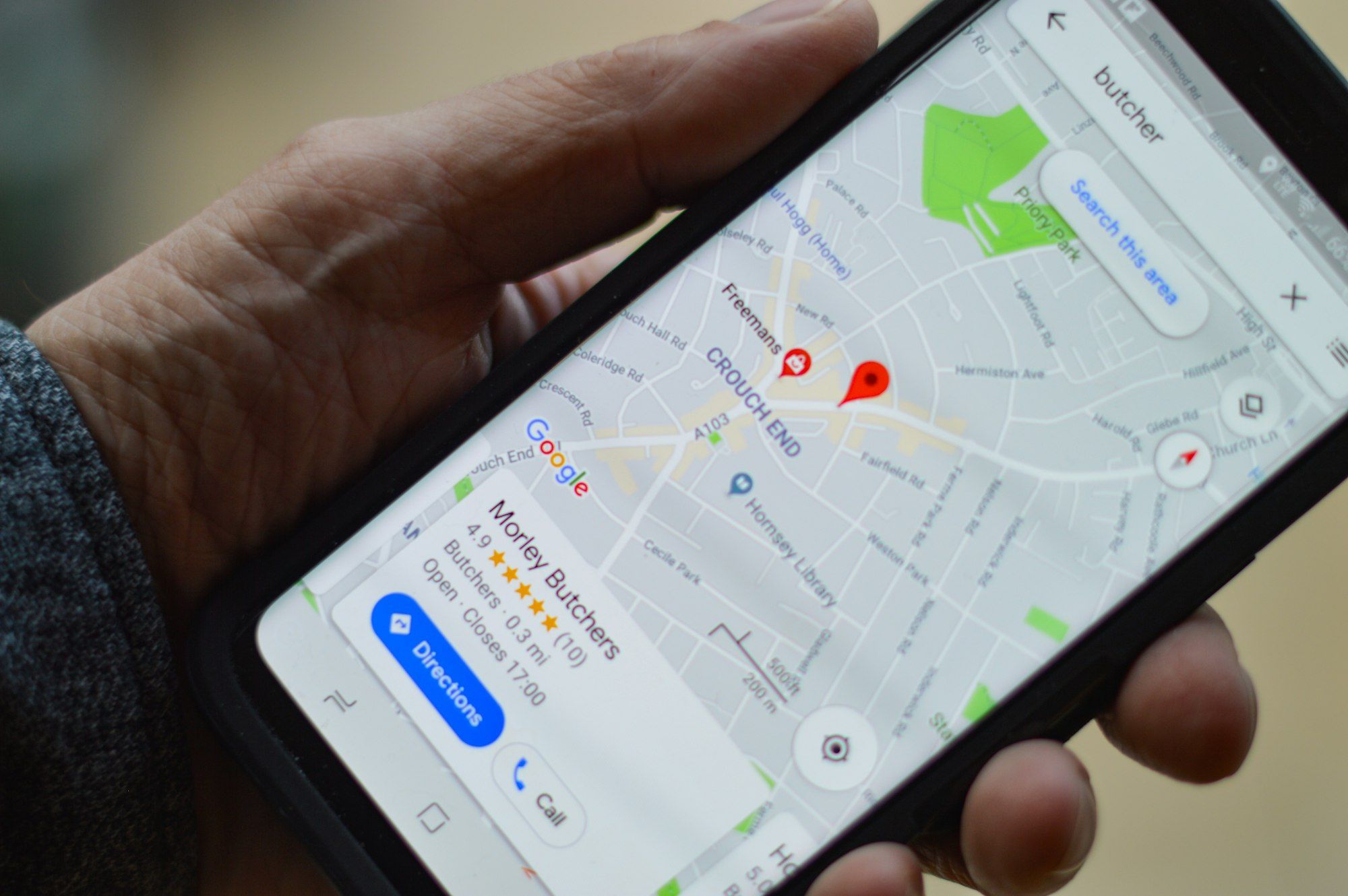
When someone in Boise searches for a plumber, a dentist, a landscaper or a coffee shop, the first thing they usually see is not a list of websites. It is a map with three businesses pinned on it, each with a star rating, opening hours and a Call button.
That box is called the Map Pack, and the information inside it comes from each business's Google Business Profile. For many local searches, the customer picks a business right there, without ever scrolling down to the regular results.
If your profile is incomplete, out of date or missing altogether, you are invisible at the exact moment a nearby customer is ready to buy. The good news: a Google Business Profile is free, and most of the work to improve it can be done in an afternoon.
How Google Decides Who Shows Up in the Map Pack
Google describes three main factors for local results:
- Relevance – how well your profile matches what the person searched for.
- Distance – how close your business or service area is to the searcher.
- Prominence – how well known and trusted your business is, based on things like reviews, links and mentions across the web.
You cannot move your business closer to every customer, but you can make your profile far more relevant and far more prominent. That is where optimization comes in.
Step 1: Claim and Verify Your Profile
Go to business.google.com and search for your business. If a profile already exists, claim it. If not, create one. Google will ask you to verify that you own the business, usually by video, phone or postcard. Until verification is complete, most of your edits will not show publicly.
If you serve customers at their location (for example, contractors, cleaners or mobile services), set yourself up as a service-area business and list the cities you cover, such as Boise, Meridian, Eagle, Nampa and Kuna, instead of showing a home address.
Step 2: Get the Basics Exactly Right
Small inconsistencies confuse Google and customers alike. Check that these match everywhere your business appears online:
- Business name – your real name, without extra keywords stuffed in.
- Address or service area – identical to your website and directory listings.
- Phone number – a local number that is answered during business hours.
- Website link – pointing to your homepage or the most relevant service page.
- Hours – including holiday hours, so nobody drives over to a locked door.
Step 3: Choose the Right Categories
Your primary category is one of the strongest signals for which searches you appear in. Pick the most specific option that describes your core business, for example "Roofing contractor" rather than just "Contractor." Then add a few secondary categories for other services you genuinely offer.
Step 4: Fill Out Services, Products and Your Description
List every service you provide, with a short, plain-English description of each. Write a business description that explains who you help, what you do and where you work. Mention your main services and service area naturally, the way you would explain it to a customer, not as a list of keywords.
Step 5: Add Real Photos, and Keep Adding Them
Profiles with clear, recent photos look more trustworthy and give customers a reason to choose you. Add:
- Your logo and a cover photo
- The outside of your location, so people recognize it when they arrive
- Your team at work
- Finished projects, products or your space
Use your own photos rather than stock images, and add new ones every month or two.
Step 6: Build a Steady Stream of Reviews
Reviews influence both your ranking and whether a searcher clicks on you. The businesses that win the Map Pack usually have a simple habit: they ask every happy customer for a review.
- Copy your review link from your profile and send it by text or email after each job.
- Make it easy: one link, one sentence asking for honest feedback.
- Reply to every review, positive or negative. A calm, helpful response to a bad review often builds more trust than a perfect score.
- Never buy reviews or offer rewards for them. It breaks Google's rules and can get reviews removed.
Step 7: Post Updates and Answer Questions
Google Business Profile lets you publish short posts about offers, events, new services or recent projects. Regular posts show that your business is active and give customers another reason to contact you. Also check the Questions & Answers section and answer common questions yourself before someone else does.
Step 8: Make Sure Your Website Backs It Up
Your profile and your website work as a team. When someone clicks through, your site should load quickly on a phone, confirm the same name, address and phone number, and make it obvious how to call or book. Clear service pages for each city you serve also help Google connect your business to local searches.
Not sure whether your website is helping or hurting? Our free website audit checks your SEO, speed and conversion paths and shows you what to fix first.
Common Mistakes That Hold Local Businesses Back
- Never verifying the profile, so edits don't go live
- Different phone numbers or addresses on different sites
- Choosing a category that is too broad
- No new photos, posts or reviews for months
- Ignoring negative reviews instead of responding
- Linking to a slow website that is hard to use on mobile
Turn Map Pack Views Into Real Leads
A well-optimized Google Business Profile is one of the fastest ways for a Boise business to get in front of nearby customers who are ready to buy. Combined with a fast, clear website and a steady flow of reviews, it becomes a reliable source of calls, bookings and walk-ins.
Want help setting it up properly? Explore our local SEO and digital marketing solutions, see how we have helped other local businesses, or book a free strategy call and we'll look at your profile together.